Growth
Analytics
Website traffic from the tracking snippet, and the journey from first click to enrolment.
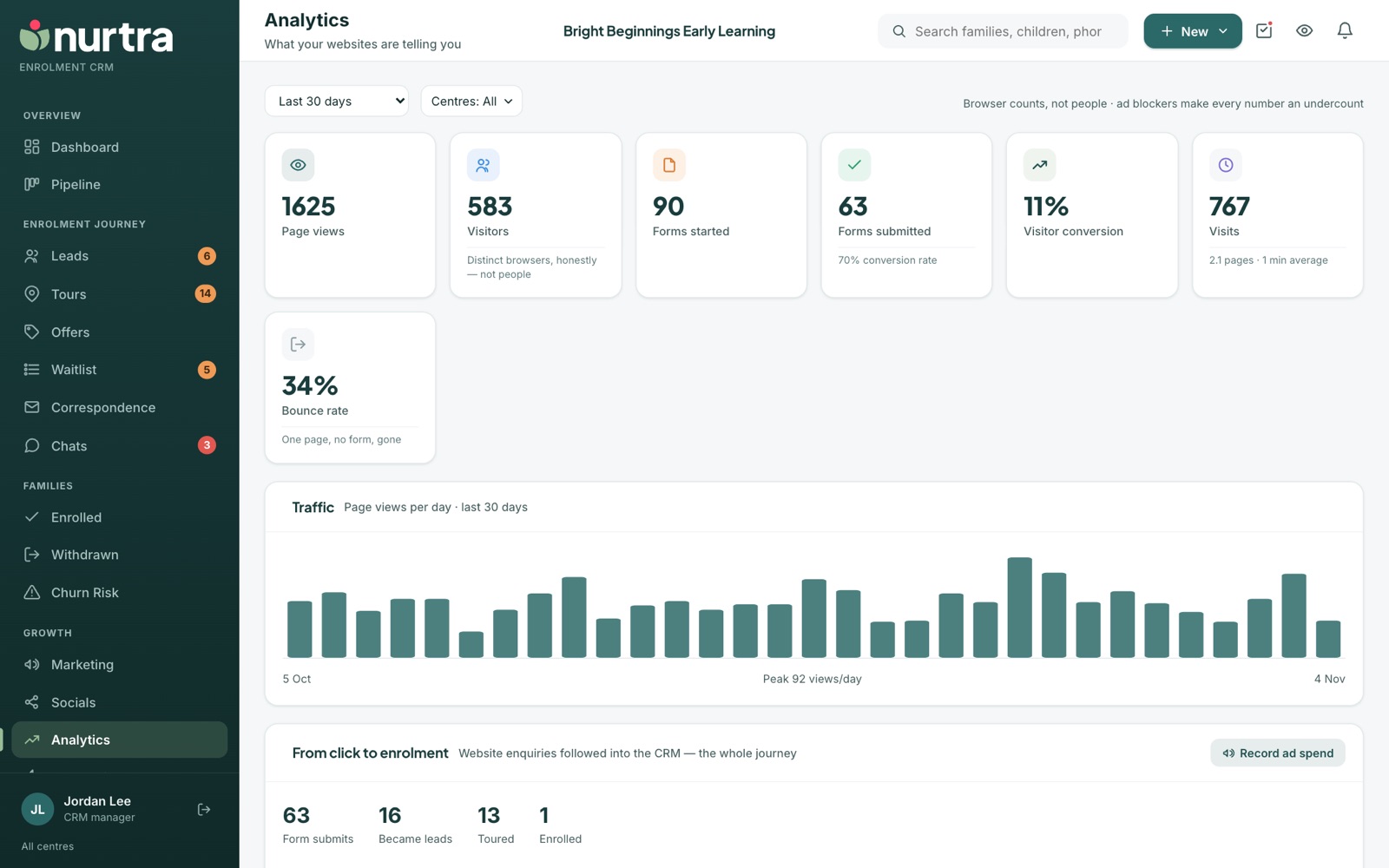
Headline tiles
- Page views, Visitors (distinct browsers, not people), Forms started, Forms submitted with the form's own conversion rate, Visitor conversion, Visits, and Bounce rate.
- Filter by period (7, 30, 90 days or custom), centre and brand.
Compare to previous period
- Pick Compare to previous period beside the dates. Every tile then shows how it moved against the same number of days just before, for example "up 18%". Hover a change to see both figures.
- Visitor conversion and bounce rate move in percentage points ("up 1.2 pts"), so going from 2% to 3% reads as 1 point, not 50%. A higher bounce rate shows in red.
- The Traffic chart draws the earlier period as a dashed line under this period's bars.
- Website visits are kept for 90 days, so there is nothing to compare "Last 90 days" with. Shorter periods compare as long as the earlier days are within those 90.
From click to enrolment
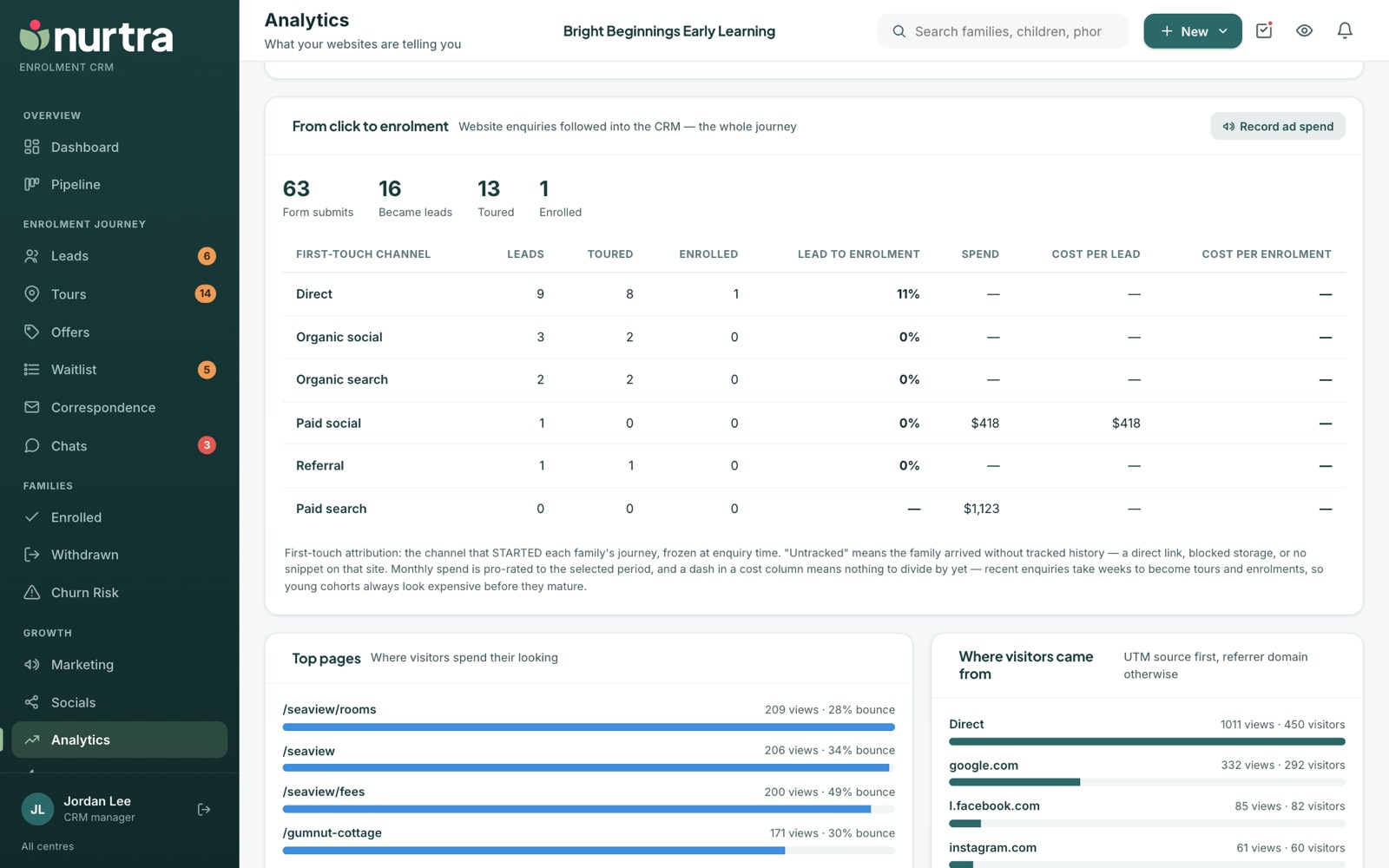
- Follows website enquiries into the CRM: form submits, became leads, toured, enrolled.
- A table by first-touch channel (the channel that started each family's journey) with leads, toured, enrolled, conversion, spend, cost per lead and cost per enrolment.
- "Untracked" means the family arrived with no tracked history: a direct link, blocked storage, or no snippet on that site.
Record ad spend (managers)
- Press Record ad spend.
- Enter month, channel and amount.
- Paid channels then show cost per lead and cost per enrolment. Spend is pro-rated to the period you're viewing.
Further down the page
- Top pages with views and bounce rate.
- Campaigns: tagged traffic and the enquiries it produced.
- By website: each snippet's numbers.
- Where visitors came from and Channels (paid search, paid social, organic, referral, direct).
- Devices and the Enquiry funnel on the websites.
Read the numbers honestlyAd blockers make every browser count an undercount, and recent enquiries look expensive until their enrolments come through. For Facebook to split into paid and organic, tag ad links with
utm_source=facebook and utm_medium=paid-social.Updated 2026-11-06 · nurtra.ai