Enrolment journey
Waitlist
Children waiting for a place, ordered by time on the list. Use the filters to find who fits a spot that has just opened.
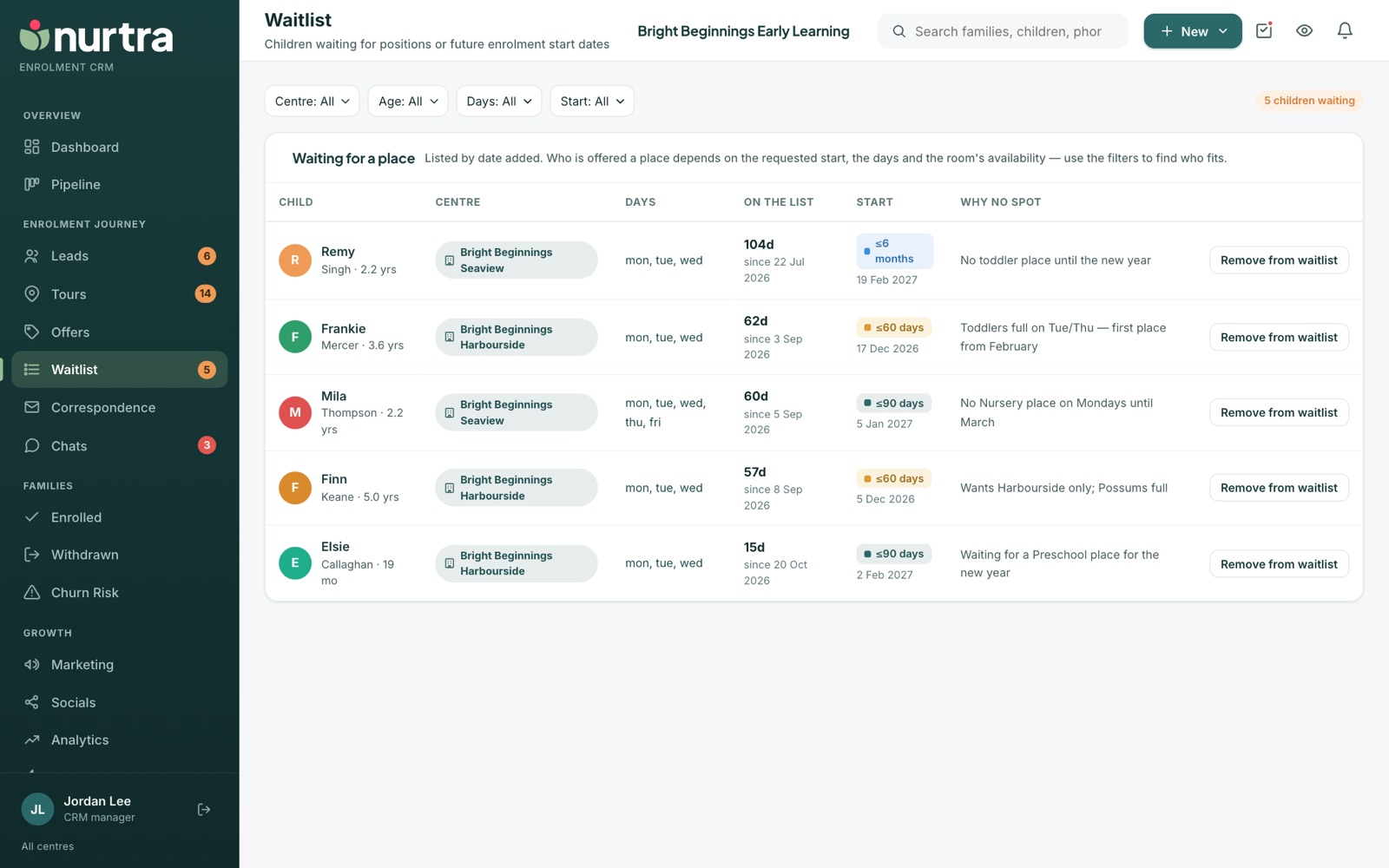
Reading the list
Columns: child (and family), centre, days requested (and whether flexible), time on the list, requested start, and why there was no spot. Remove from waitlist takes a child off.
Fill a spot that opens
- Set Age: pick a room's own band in one click, or type a range.
- Set Days. Any ticked day counts, and families flexible on days always match.
- Set Start as a date range, with either end open.
- The count reads, for example, "3 of 12 children waiting". Press Clear filters to see everyone again.
- When a waitlisted family's requested days open up, Nurtra flags the match with an offer button.
- Children join the waitlist with Move to the waitlist on the family, by declining an offer and choosing Keep waiting, or by moving the family onto the Waitlisted step.
- The waitlist is a pipeline step. A child put on the waitlist moves to Waitlisted. Making an offer, or moving them to another stage, takes them off, and the days they waited go on the timeline. Organisations without the step keep the waitlist beside the pipeline instead.
- The Waitlist keep-in-touch automation, under Automations → Waitlisted, writes to every waiting family on a cadence you set.
Updated 2026-11-06 · nurtra.ai