Daily work
Dashboard and Nurtra AI
Signing in lands you on the Dashboard: the AI ask bar and findings at the top, then your numbers, pipeline, tasks, sources, occupancy, tours and offers.
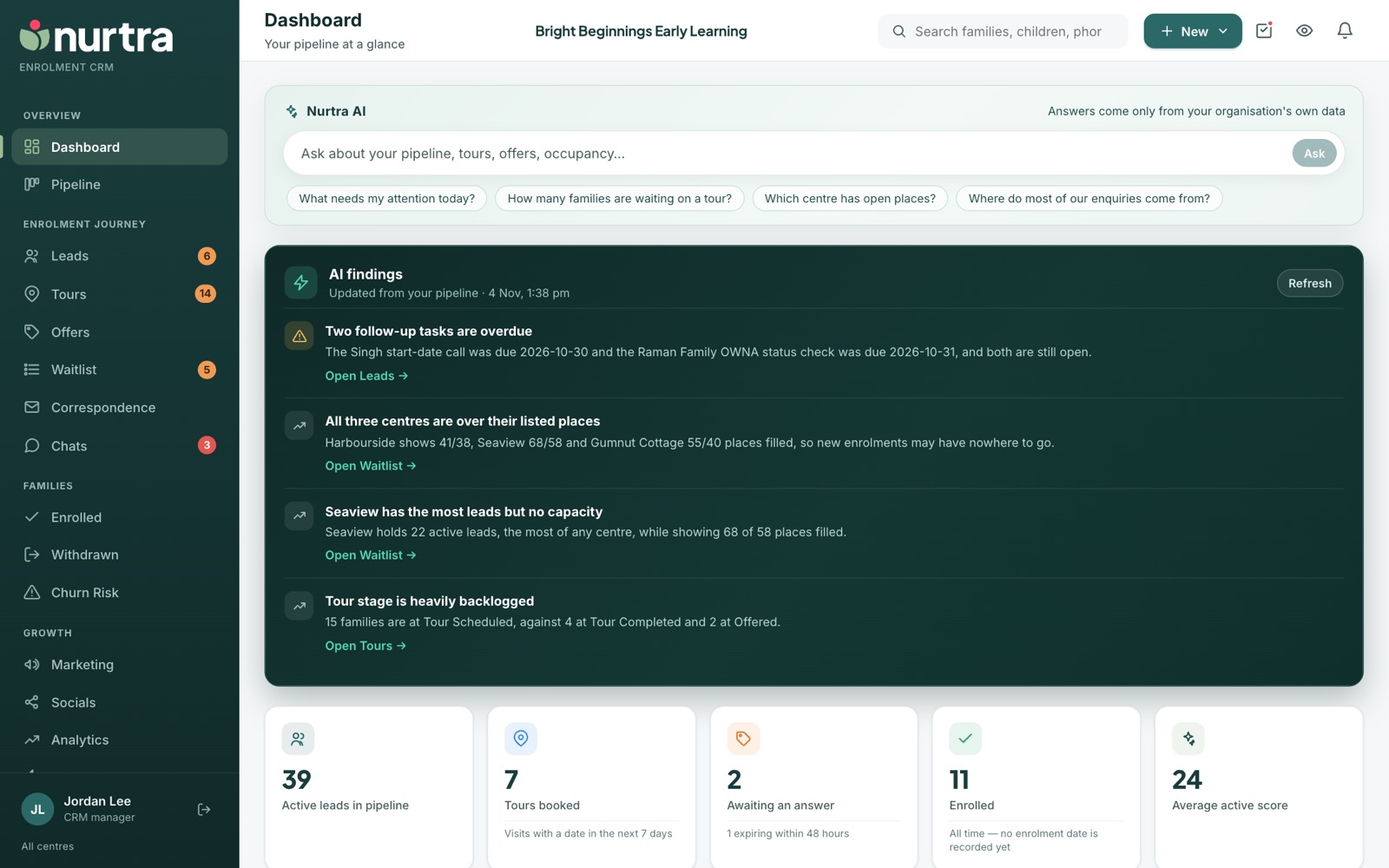
Ask Nurtra AI
- Type a question in the ask bar, or press one of the suggestions: What needs my attention today?, How many families are waiting on a tour?, Which centre has open places?, Where do most of our enquiries come from?
- Answers come only from your organisation's own records, in plain words, with a link to the page that holds the detail.
- The AI sees only what you can already see: your organisation and your centres.
AI findings
- A short list of things worth acting on, read from your pipeline. Examples: overdue tasks, a backlog of tours not logged as completed, a centre with many open places but few leads, or the top enquiry source.
- Each finding links straight to the page to fix it, for example Open Tours →.
- Findings refresh daily. Press Refresh to re-read now.
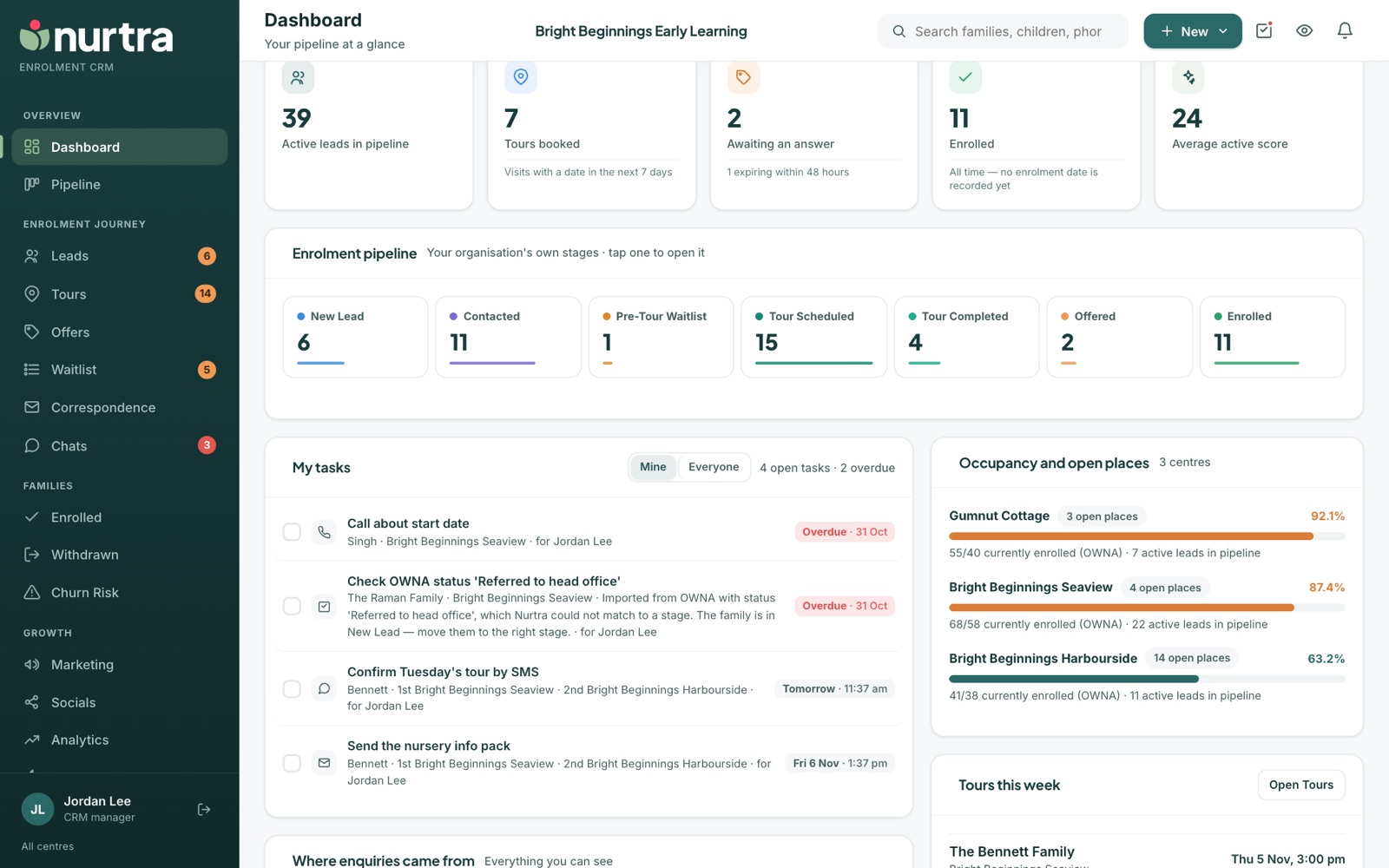
Headline tiles
| Tile | What it counts |
|---|---|
| Active leads in pipeline | Families in any live stage |
| Tours booked | Visits with a date in the next 7 days |
| Awaiting an answer | Open offers, with how many expire within 48 hours |
| Enrolled | Families enrolled |
| Average active score | Average lead score across active families |
The rest of the Dashboard
- Enrolment pipeline: your stages with a count each. Tap a stage to open it.
- My tasks: switch between Mine and Everyone. Tick tasks off in place.
- Where enquiries came from: enquiry counts by source.
- Occupancy and open places: per centre, with enrolled versus licensed places and active leads in the pipeline.
- Tours this week and Offers awaiting an answer, each linking to the family.
Updated 2026-11-06 · nurtra.ai