Getting started
Welcome to Nurtra
Nurtra is an enrolment CRM built for childcare. It takes a family from first enquiry through tour, offer and enrolment, and keeps every call, email and task on one record.
The getting-started video
A short walk through Nurtra, from setting up your centres to your first enrolment. New team members also see it when they first sign in, for their first 30 days.
How Nurtra is organised
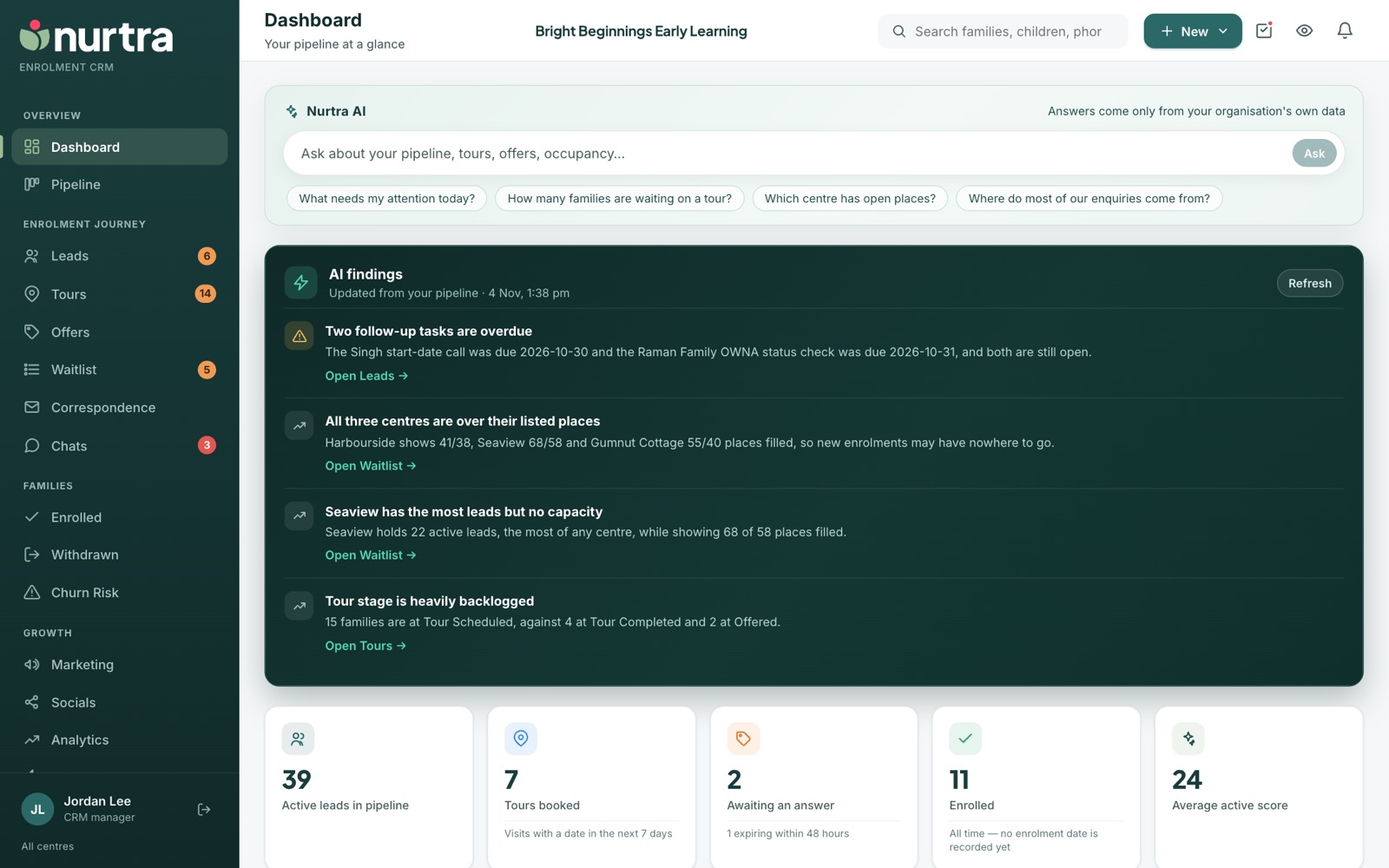
The sidebar groups every screen by where it sits in the enrolment journey.
| Section | Screens | Use it for |
|---|---|---|
| Overview | Dashboard, Pipeline | Starting the day, seeing every family by stage |
| Enrolment journey | Leads, Tours, Offers, Waitlist, Correspondence, Chats | Working enquiries day to day |
| Families | Enrolled, Withdrawn, Churn Risk | Families who have already started |
| Growth | Marketing, Socials, Analytics, Automations, Reports | Campaigns, website traffic, automatic follow-ups and measurement |
| Admin | Settings, Tutorial | Centres, team, pipeline, templates and integrations. Tutorial opens this help centre in a new tab. |
The top bar
The top bar is the same on every page:
- Search finds families, children and phone numbers from anywhere.
- + New creates a lead, a task, or imports a spreadsheet of leads. See Capturing leads.
- The tick icon opens your open tasks. See Tasks.
- The book icon opens What everything means, a legend for every pill, score and badge. See Glossary.
- The bell icon opens Needs attention, which lists anything of yours that is overdue.
The enrolment journey
Every family moves through your organisation's pipeline stages. The defaults are:
- New Lead: a new enquiry lands here. Answering the first call moves the family on.
- Contacted: you have been in touch. Emailing a brand-new enquiry moves them here automatically.
- Pre-Tour Waitlist: the family wants a tour but isn't ready to book one yet.
- Tour Scheduled: a tour is booked, by a consultant or by the family.
- Tour Completed: the family has visited.
- Waitlisted: a child is waiting for a place. Putting a child on the waitlist moves them here; making an offer takes them off. See Waitlist.
- Offered: a place has been offered and is waiting on an answer.
- Enrolled: won. Recording forms submitted puts the child here.
- Lost Opportunity: lost, always with a reason.
Managers can rename, reorder and add stages. See Enrolment Pipeline settings.
Help while you workTutorial in Nurtra's sidebar opens this guide in its own tab, so the steps stay open beside the screen you are working on.
Updated 2026-11-06 · nurtra.ai