Settings
Pick Lists
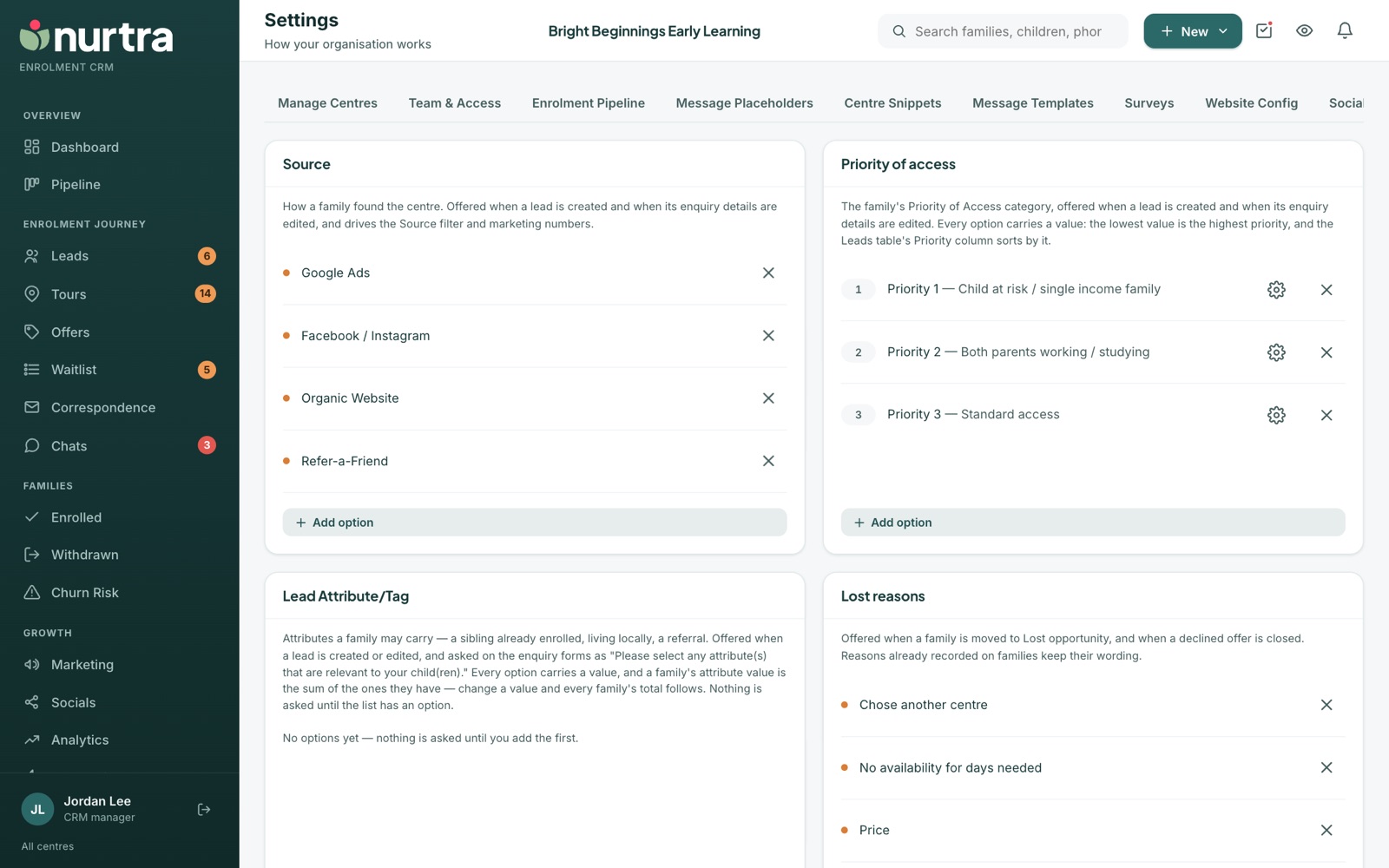
The options offered across Nurtra: sources, priority of access, attributes, lost and withdrawn reasons, and more.
| List | Used for |
|---|---|
| Source | How a family found the centre. Drives the Source filter and marketing numbers. |
| Priority of access | Each option has a value; the lowest value is the highest priority. The Leads list sorts by it. |
| Lead Attribute/Tag | Tags such as Defence Force, ATSI or Health Care Card, each with a value. A family's attribute value is the sum. Also asked on enquiry forms. |
| Lost reasons | Required when a family moves to Lost Opportunity or a declined offer is closed. |
| Withdrawn reasons | Why an enrolled family left. |
| Task types | Every task picker. Starts with Call, Email and SMS; add your own. |
| Referral incentives | Rewards offered in Refer-a-Friend. |
| Enquiry reasons, document categories, additional needs | Options on lead capture, documents and children. |
- Press Add option under any list.
- Families keep the wording they were given if you rename or remove an option.
- Change an attribute's value and every family's total updates.
Updated 2026-11-06 · nurtra.ai