Enrolment journey
Correspondence
The organisation-wide ledger of every email and every event on every family's record.
Email tab
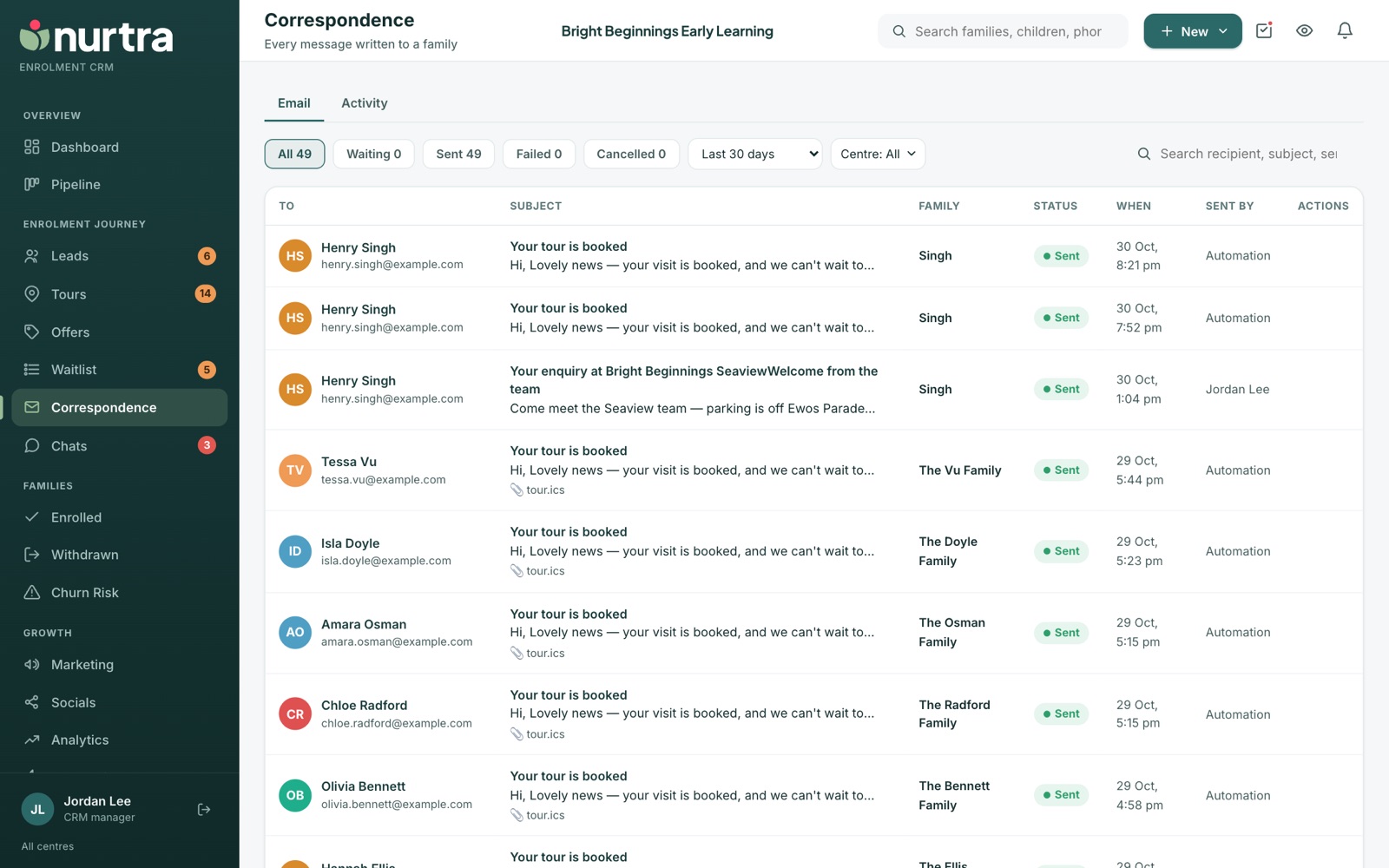
- Status filters: All, Waiting, Sent, Failed and Cancelled, with counts.
- Period: last 30, 60 or 90 days, all time, or a custom range. Plus centre and brand.
- Each row shows recipient, subject and preview, family, status, when, and who sent it (a person or Automation).
- Click a subject to read the full message.
- Withdraw anything still queued. Send again revives a failed message once its cause is fixed.
How sending worksMessages queue as Scheduled until due, then a mail job sends them and marks them Sent. If mail sits in Scheduled, check the send delay chosen on the template or rule.
Activity tab
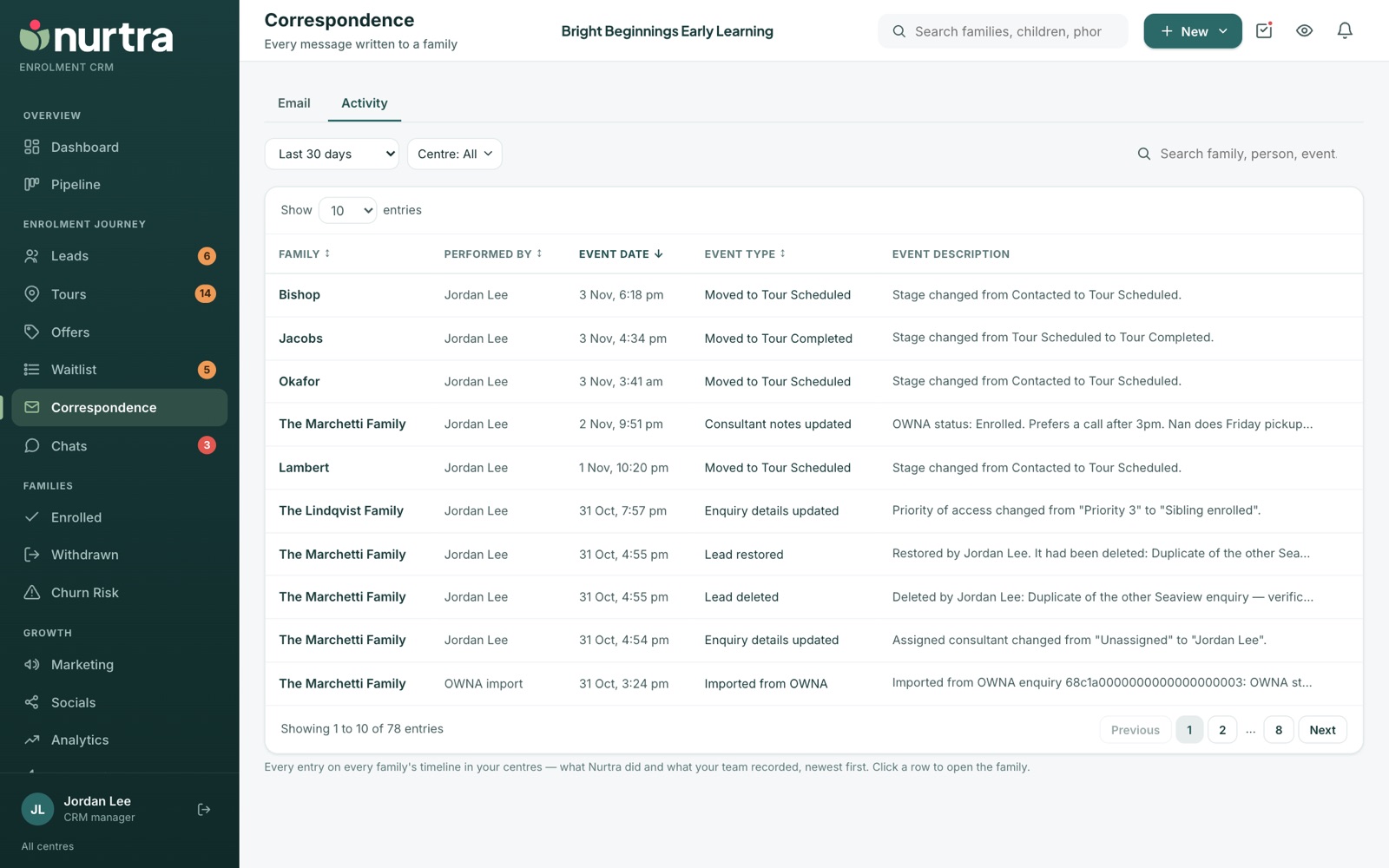
- Everything that happened on every family's record in your centres, in one list: calls and how they ended, texts and emails (and opens), tours, stage moves and notes.
- Same period, centre and brand filters, plus search, sortable headers and 10 to 100 rows a page.
- Click any row to open the family.
Updated 2026-11-06 · nurtra.ai