Daily work
Tasks
Tasks keep every family moving. Some are created for you automatically; you add the rest. Every task has a due date and a time.
Where tasks come from
- New web enquiry: a first-contact call task.
- Tour booked: a Host the centre tour task for the centre's director, due at the tour time.
- Tour attended: whatever your Tour Completed automation creates, usually a next-day enrolment call.
- Tour no-show: a next-day re-engagement call.
- Missed inbound call or voicemail: a Return the family's call task, due in two hours.
- Forms submitted on an offer: a forms-check task.
- Automation rules: any task a rule is set up to create.
Add a task
- Press + New → New task, or Add task on a family's Tasks tab.
- Choose the family, or Not about a family for a general to-do.
- Pick the type (Call, Email, SMS, Tour, Add to OWNA, Other, or your own types), due date and time (9:00 am by default), and who it's for.
- Press Add task.
Working your tasks
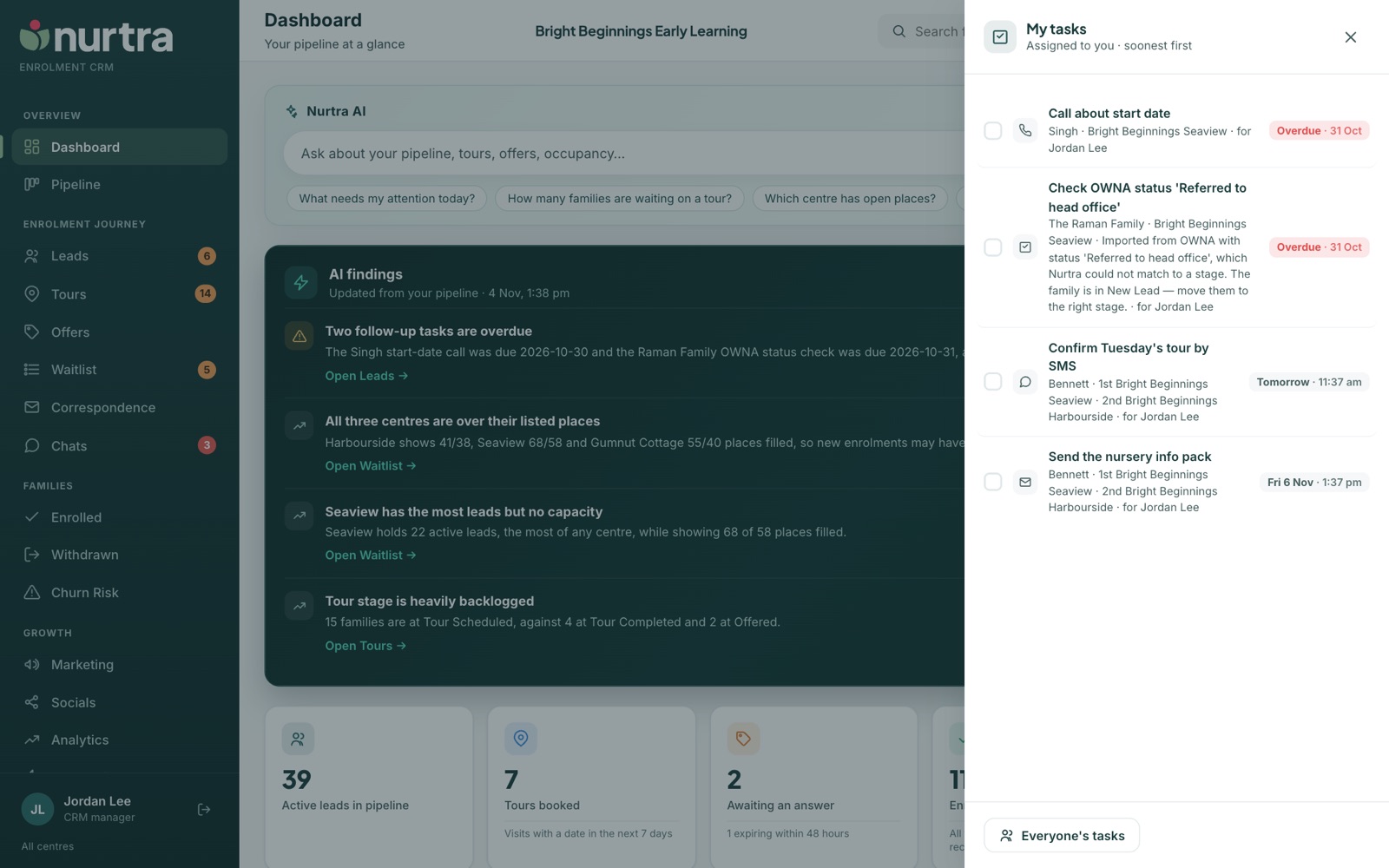
- The tick icon in the top bar opens your open tasks from any page. Everyone's tasks at the foot shows the whole team's.
- On Everyone's, Whose tasks narrows to one colleague or to tasks nobody owns yet. Handy when covering for someone.
- Tasks run strictly by due date and time. There is no priority flag, so a day's list reads top to bottom.
- Completing a Call, Email or SMS task opens the call log, email or SMS so you can record the outcome as you go.
- Delete a task created by mistake from the family's Tasks tab. The timeline keeps a note of it.
Due badges
| Badge | Meaning |
|---|---|
| Overdue · 26 Oct | The time has passed |
| Due today · 3:18 pm | Due later today |
| Tomorrow · 3:18 pm | Due tomorrow |
| Sat 31 Oct · 10:30 am | Due further out |
Good to knowMoving a family to Lost Opportunity closes all their open tasks. They appear under Completed on the Tasks tab and can be reopened if the family comes back.
Updated 2026-11-06 · nurtra.ai