Enrolment journey
Leads list
Every enquiry in a sortable, filterable table. The working queue for deciding who to call next.
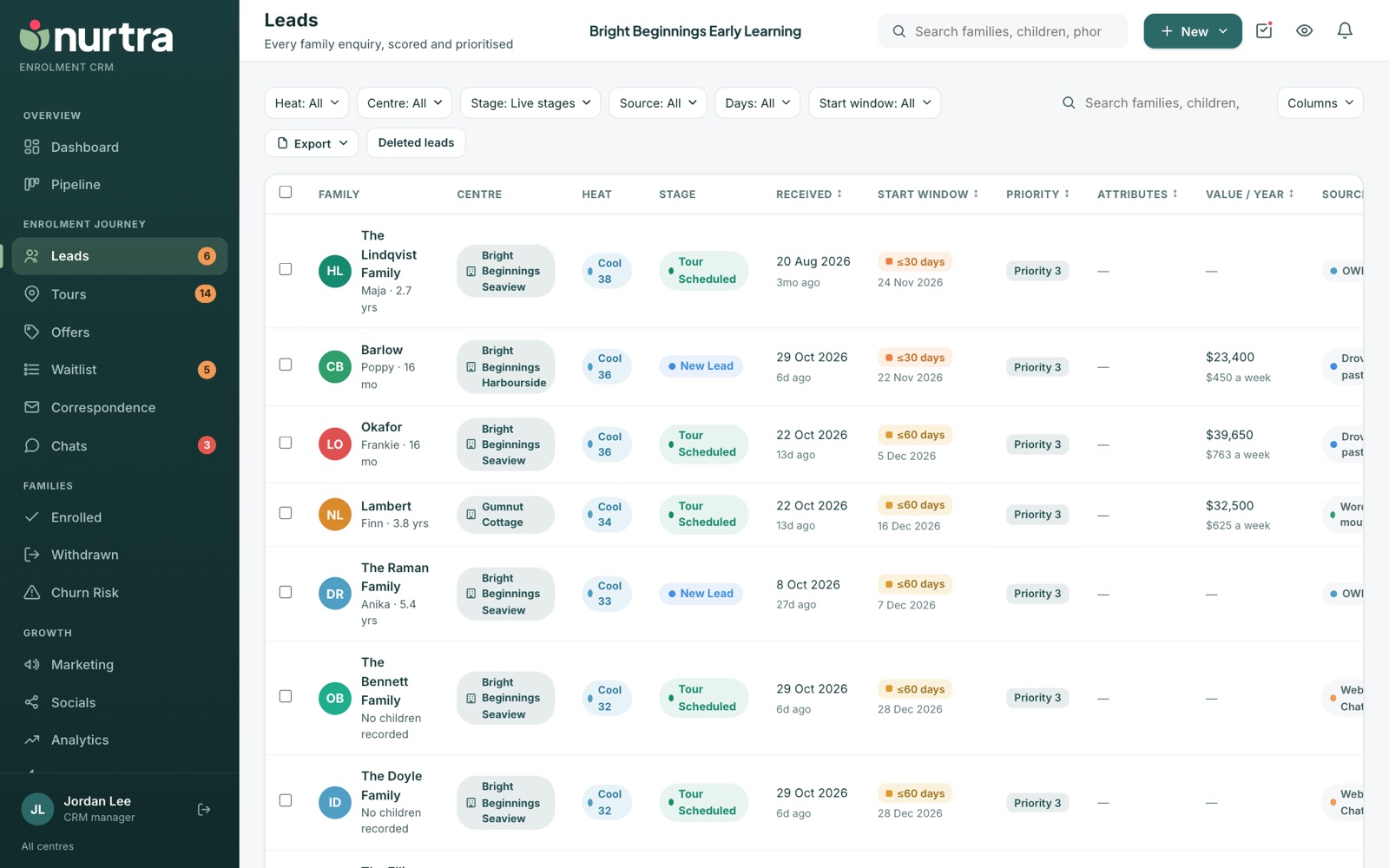
Filters
- Heat, Centre, Brand, Stage, Source, Days, Start window.
- The list opens on live stages (everyone except enrolled and lost). The stages you tick are remembered. Choose All to bring enrolled and lost families back.
Columns
Family, Centre, Heat, Stage, Received, Start window, Priority, Attributes, Value / year, Source, Consultant, Last contacted and Next action.
- Click Received, Start window, Priority, Value / year or Last contacted to sort.
- Last contacted counts emails and SMS sent and calls answered or with a voicemail left. Stage changes, notes and unanswered calls don't count. Sorting puts never-contacted families first.
- Value / year is a year of fees from each child's days and their room's session fee. It appears once rooms have session fees in Manage Centres.
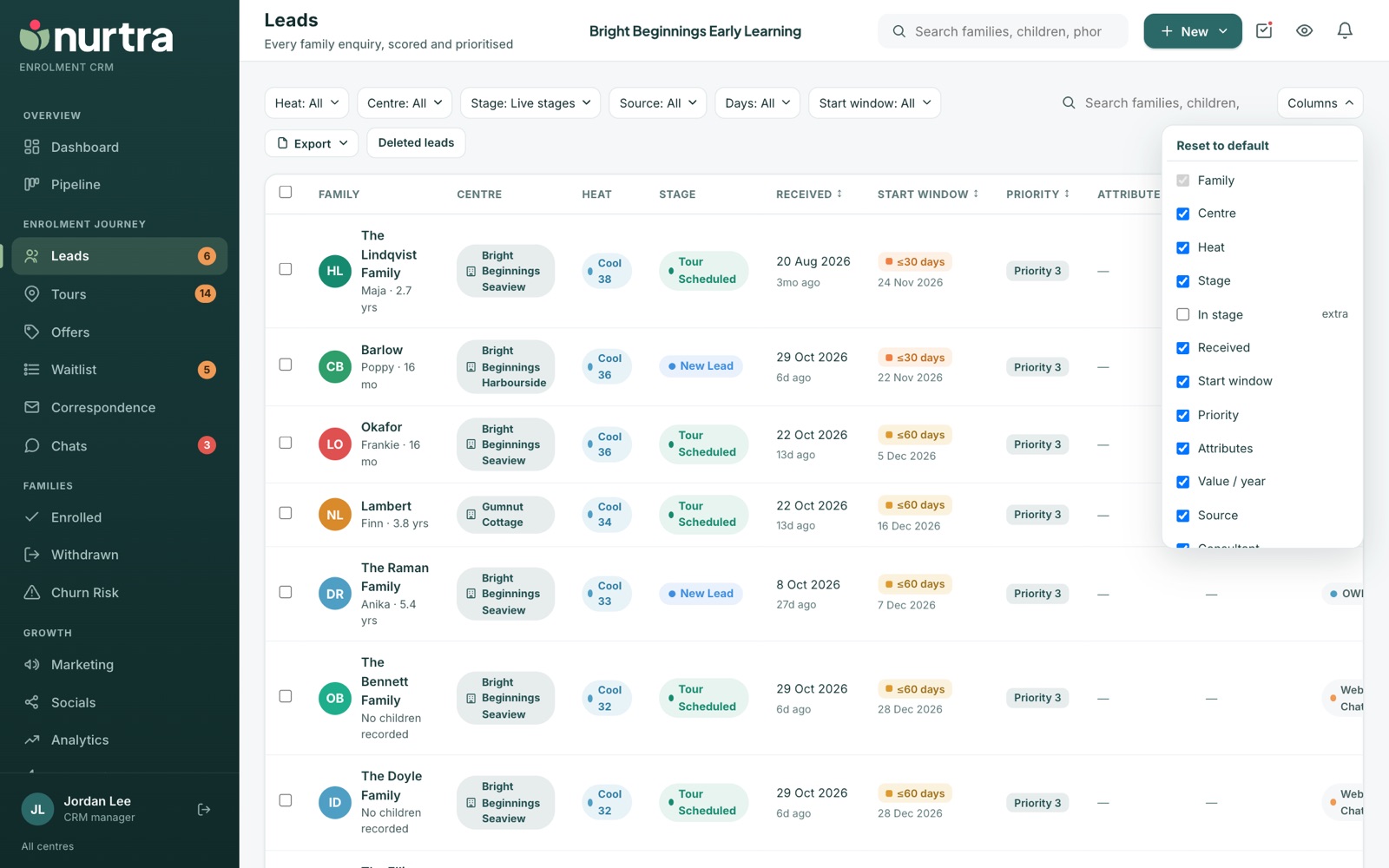
- Press Columns.
- Tick the columns you want, including phone, email, children, days or time in stage.
- Your choice is saved to your login on any computer until you press Reset to default.
Export
Export writes exactly what the list shows (after filters, search and sort) to an Excel workbook with real dates and amounts, or to CSV. Contact details are included.
Deleted leads
- Deleting a family archives them: a reason is required, queued emails are withdrawn, and they leave every list, report and automation.
- Deleted leads beside the search box shows who deleted each family, when and why, with a Restore button.
Updated 2026-11-06 · nurtra.ai