Settings
Enrolment Pipeline
The stages every family moves through. Every board, report and automation follows this list.
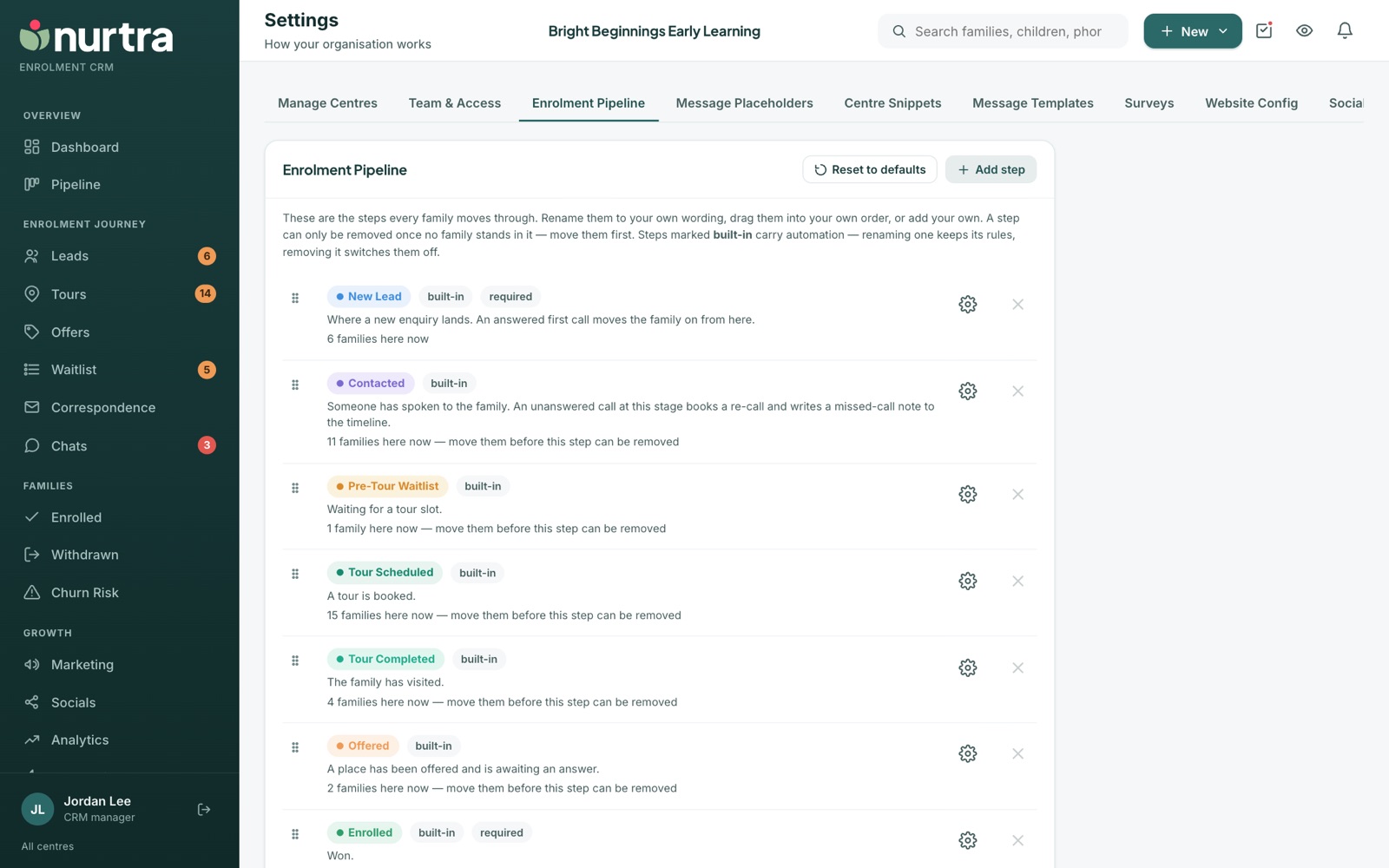
- Rename stages to your own wording, drag to reorder, or Add step.
- Stages marked built-in carry automation. Renaming keeps their rules; removing switches them off.
- New Lead, Enrolled and Lost Opportunity are required.
- The Waitlisted step holds the capacity waitlist. Putting a child on the waitlist moves them there, and making an offer or moving them anywhere else takes them off. It can be renamed (some organisations call it "Waitlist") or retired. Without it, the waitlist sits beside the pipeline.
- Each stage shows how many families are in it now.
- A stage can only be removed once no family stands in it. Until then it is kept but stops accepting new families, so history and reports still add up.
- Reset to defaults restores the standard stages.
Updated 2026-11-06 · nurtra.ai